What Is a VPN and Should You Use One?
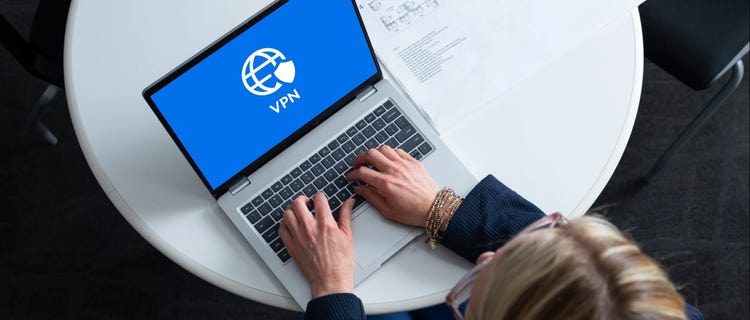
Online privacy has become a bigger concern for everyday Internet users, and VPNs have become one of the most talked-about tools for addressing it. But what exactly is a VPN, what does it actually do and is it something you need? Here's a clear look at how VPNs work and how to decide if one makes sense for you.
What Does VPN Stand For?
VPN stands for Virtual Private Network. It's a technology that creates an encrypted connection between your device and the Internet, routing your traffic through a secure server before it reaches its destination.
When you use a VPN, your Internet activity is harder for outside parties to monitor, and your real IP address is masked by the address of the VPN server. This applies whether you're browsing at home, working remotely or connected to a public WiFi network.
What Does a VPN Do?
A VPN does two primary things. It encrypts your Internet traffic and hides your IP address.
Encryption means your data is scrambled as it travels between your device and the Internet. Without encryption, data sent over an unsecured network can potentially be intercepted. With a VPN active, that data is protected even if someone is monitoring the network.
IP masking means websites and services you visit see the VPN server's IP address instead of your own. Your actual location and identity are harder to trace.
Together, these two functions make a VPN a useful tool for anyone who wants more control over their online privacy and security.
When a VPN Is Useful
VPNs are particularly valuable in a few specific situations.
Using public WiFi
Coffee shops, airports, hotels and other public networks are convenient but unsecured. Anyone on the same network can potentially intercept unencrypted data. A VPN protects your activity on these networks by encrypting everything you send and receive.
Working remotely
Many employers require employees to connect through a VPN when accessing company systems from home or while traveling. This keeps business data secure even over residential or public Internet connections.
Protecting sensitive activity
Online banking, shopping and accessing personal accounts all involve sensitive information. A VPN adds a layer of protection when handling that kind of data, particularly outside your home network.
Privacy from data tracking
Advertisers, data brokers and websites routinely track online behavior through IP addresses and other identifiers. A VPN makes that tracking significantly harder by masking your real IP address.
When You Might Not Need a VPN
A VPN isn't necessary for every situation. If you're browsing at home on a secured, password-protected network, your regular Internet connection already provides a reasonable level of protection for everyday activity.
Most reputable websites also use HTTPS encryption by default, which protects the data exchanged between your browser and the site regardless of whether you're using a VPN. For basic browsing, streaming and general use at home, a VPN is optional rather than essential.
What a VPN Doesn't Do
A VPN doesn't protect against everything.
Malware, phishing attempts and malicious websites are still a risk. If you click a suspicious link or download something harmful, a VPN won't stop the damage. That kind of protection requires dedicated security software.
Complete anonymity isn't part of the deal either. Your VPN provider can still see your traffic, which is why choosing a reputable provider with a clear privacy policy matters. And websites can still identify you if you're logged into an account, regardless of whether a VPN is active.
How a VPN Affects Your Internet Speed
Using a VPN adds a step to your Internet traffic. Your data travels to a VPN server before reaching its destination, which can introduce some latency. How much depends on the VPN provider, the server location you connect to and your base Internet speed.
On a fast Internet connection, the difference is often barely noticeable for everyday browsing and streaming. On a slower connection, or when connecting to a VPN server far from your location, the slowdown can be more noticeable.
Choosing Between a VPN and Other Security Tools
A VPN is one layer of online security, not a complete solution on its own. For comprehensive protection, it works best alongside other tools.
Spectrum Advanced WiFi includes Security Shield, which provides network-level protection for devices connected to your home Internet, helping block malware, phishing attempts and suspicious activity. It covers threats that a VPN doesn't address, making the two complementary rather than interchangeable.
For households that want home network security without managing multiple tools, Advanced WiFi with Security Shield offers broad coverage against the most common threats everyday Internet users face.
Should You Use a VPN?
The honest answer is that it depends on how and where you use the Internet.
If you regularly connect to public WiFi, work remotely with access to sensitive systems or want more control over your online privacy, a VPN is a worthwhile tool. If your Internet use is primarily at home on a secured network and your main concern is device-level security, a dedicated security software may address your needs more directly.
For most households, the best approach combines a secure home network through Spectrum Internet®, network-level protection through Spectrum Advanced WiFi's Security Shield and a VPN for situations where you're operating outside that protected environment.