Streaming Apps Included with Spectrum
Many people are frustrated by the rising costs of streaming services and juggling multiple subscriptions. With so many streaming platforms available, it's easy to spend hundreds of dollars a month just to watch your favorite shows.
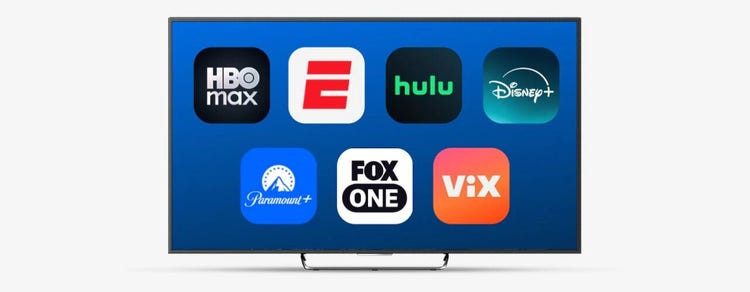
With Spectrum TV®, there's a solution. Spectrum TV includes the streaming apps you want, so you can simplify streaming and save money without sacrificing the apps or live channels you love. Four Spectrum TV plans include access to popular streaming apps, giving you the convenience of live TV and streaming all in one place, without paying for separate subscriptions.
Spectrum TV includes:
- HBO Max Basic with Ads
- ESPN Unlimited
- Hulu
- Disney+
- Paramount+ Essential
- Peacock Premium with Ads
- FOX One
- AMC+
- ViX Premium with Ads
- Tennis Channel
Enjoy Popular Streaming Apps at No Extra Cost
Ready to simplify your entertainment experience? Instead of choosing between live TV and streaming, Spectrum TV brings you the best of both worlds – a robust lineup of live TV channels along with up to 10 popular streaming apps included with your live TV plan. You’ll enjoy a wide range of channels plus built-in access to top streaming options, all in one place.
When you compare how much these apps would cost separately, the value becomes clear:
Stream with Xumo
Whether you're watching a big game, catching up on the news or bingeing the latest hit series, Spectrum TV plans bring everything together in one place, at a better value than paying for multiple subscriptions.
With any Spectrum TV plan, you can opt-in to receive a Xumo Stream Box, included with your plan for the first year, which connects directly to your TV and integrates your streaming apps, live Spectrum TV channels and thousands of On Demand programs.
You can also control your TV, program your DVR and set parental controls with the free Spectrum TV App. Simply download the app to access your Spectrum TV channel lineup, and stream live or On Demand TV content anywhere there’s an Internet connection.
Activate Your Streaming Apps with Spectrum TV
If you're an existing Spectrum TV customer, you can follow these instructions to set up the streaming services that come with your Spectrum TV Select Signature, Spectrum TV Select Plus, Spectrum TV Platinum or Mi Plan Latino package:
1. Log in to your existing Spectrum TV account.
2. Go to Services and click View Current Plan.
3. If your Spectrum TV plan is eligible for included streaming apps, you’ll see icons for the streaming services that come with your plan. Click Activate next to the streaming service icon you wish to activate.
Get connected to the most popular streaming services, sports and live TV channels together with Spectrum TV.
Frequently Asked Questions
Limited time offer; subject to change; new residential customers only (no Spectrum services within past 30 days) and in good standing with Spectrum. SPECTRUM TV: Standard rates apply after promo period. Streaming apps included in qualifying Spectrum TV plans for residential customers only. TV equipment may be required, charges apply. Channel availability based on level of service and not all channels available in all markets or locations. Services subject to all applicable service terms and conditions, subject to change. Services not available in all areas. Restrictions apply.
Activation of a separate subscription may be required to view content through each streaming application. This may not replace any existing subscriptions you already have; those must be managed separately. Services subject to all applicable service terms and conditions, subject to change. ©2026 Charter Communications. All other trademarks and logos herein are the property of their respective owners. For details, visit spectrum.com/disclosures.
Frequently Asked Questions
Spectrum TV Select Signature includes HBO Max Basic With Ads, ESPN Unlimited, Hulu, Disney+, Paramount+ Essential, Peacock Premium with Ads, FOX One, AMC+ with Ads and ViX Premium with ads.
Spectrum TV Select Plus includes HBO Max Basic With Ads, ESPN Unlimited, Hulu, Disney+, Paramount+ Essential, Peacock Premium with Ads, FOX One, AMC+ with Ads, Tennis Channel and ViX Premium with ads.
Spectrum TV Platinum includes HBO Max Basic With Ads, ESPN Unlimited, Hulu, Disney+, Paramount+ Essential, Peacock Premium with Ads, FOX One, AMC+ with Ads, Tennis Channel and ViX Premium with ads.
Mi Plan Latino includes Paramount+ Essential and ViX Premium with ads.
Xumo Stream Box comes with hundreds of streaming apps pre-installed, so once activated you can stream all of your favorite apps with no downloading required.