How to self-install Spectrum Internet in 10 minutes
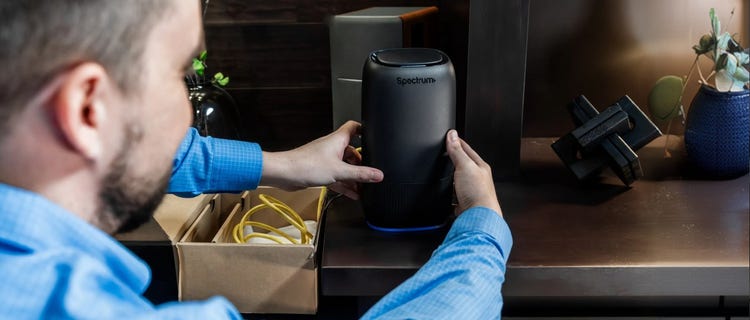
Starting new Internet service should feel simple. For eligible customers, Spectrum Internet® and WiFi can be set up right at home in under 10 minutes with our Express Connect Kit.
This plug-and-play option is designed to make your move or service switch as seamless as possible, eliminating the need for a technician visit or additional tools. You can pick up your Express Connect Kit at any Spectrum store – make an appointment so you can skip the line. Or have a kit shipped to your home. Once you have your Express Connect Kit, connect the equipment and let auto-activation do the rest.
Self-install is available for eligible new Internet and Advanced WiFi customers. Restrictions apply, and availability may vary by address and account type.
Before you start your Spectrum Self-Install
You have the option to either get the Express Connect Kit delivered to your home or pick it up and install same day from a nearby Spectrum store when available – whatever is most convenient for you. For fastest service, make an in-store appointment so you can walk in and skip the line.
Be sure to start by signing the Terms and Conditions, which are sent via email or SMS, to help the process go smoothly. Getting the self-install process under 10 minutes requires signing in before setup. Next, open your Express Connect Kit and find everything you need to get started.
You’ll also want to make sure you have an optimal place to set up your equipment. A central, open location is best for your WiFi router, so the signal can reach more of the rooms where you use connected devices. Try to keep the router off the floor and away from thick walls, large furniture and appliances.
How to self-install Spectrum Internet step by step
Once your Terms and Conditions are signed and the Express Connect Kit is opened, the self-installation process can begin. Clear installation instructions are also included in the box.
Step 1: Connect the coaxial cable to your modem and an active coax outlet.
Step 2: Connect the Ethernet cable to the modem.
Step 3: Connect the power cord to the modem and a power outlet.
Step 4: Wait for the modem to auto-complete its setup, indicated by the Modem Online light becoming solid.
Step 5: Connect the other end of the Ethernet cable to your WiFi router.
Step 6: Plug the power cord into the WiFi router and a power outlet.
Step 7: Wait for the connection to your WiFi router to auto-complete, typically indicated by the WiFi router light becoming solid.
Once all these steps are completed, your self-install process should be finished under 10 minutes and your Spectrum Internet and WiFi should be ready to use. Additionally, once your Spectrum Internet is installed, you can then personalize your WiFi network and password using the My Spectrum App or Spectrum.net.
When professional installation may be recommended
Self-install is a convenient option for many eligible homes, but it may not be available for every address or account type. Some homes may need additional setup, updated connections or a professional installation appointment.
If self-install is not available at your address, contact us for help reviewing your installation options.
A plug-and-play setup made for everyday users
Self-install can feel intimidating if you’re worried about missing a step or needing technical expertise.
Luckily, the Express Connect Kit is built to make the process easier, providing an intuitive plug-and-play process with clear, step-by-step instructions for you to set everything up right at home. If you do need help, support is available through the My Spectrum App and our 24/7 100% US-based customer support.
Whether you’re moving, switching providers or starting new Internet service, self-install offers a faster, simpler way to get connected at home. Learn more about Spectrum Internet, explore WiFi service or visit a nearby Spectrum store to get started.