iMessage vs. SMS: What Is the Difference and When Does It Matter?
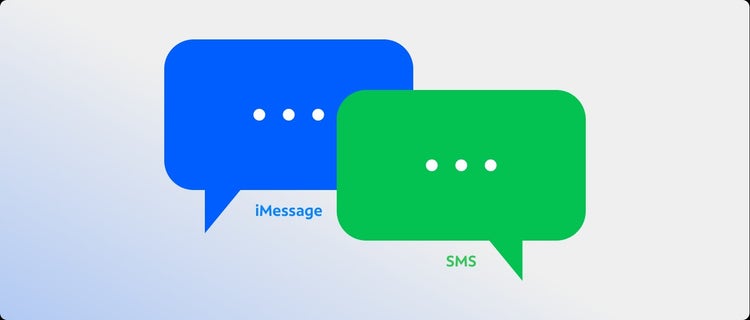
If you've ever sent a text and noticed it showed up as a green bubble instead of a blue one, or wondered why some messages say "Delivered" and others say "Read," you've already encountered the difference between iMessage and SMS. They look similar on the surface but work in completely different ways. Here's what you need to know.
What Is SMS?
SMS stands for Short Message Service. It's the standard text messaging technology that has been built into mobile phones for decades. SMS messages travel through your carrier's cellular network, which means they work on any phone, with any carrier, anywhere you have a cellular signal.
SMS doesn't require an Internet connection or a smartphone. It works on basic phones, older devices and across different operating systems. That universal compatibility is its biggest strength.
The tradeoff is that SMS is a relatively basic protocol. Messages are limited to 160 characters per segment, though modern phones automatically chain multiple segments together so longer messages still go through. SMS does not support high-resolution photos, read receipts or end-to-end encryption by default.
MMS, or Multimedia Messaging Service, is the extension of SMS that handles photos, videos and group messages. When you send a photo over a standard text thread, it's going through MMS rather than SMS, but both travel over the same cellular network infrastructure.
What Is iMessage?
iMessage is Apple's messaging platform, built into the Messages app on iPhone, iPad and Mac. Unlike SMS, iMessage sends messages over an Internet connection rather than the cellular network. That distinction drives most of the differences between the two.
Because iMessage uses the Internet, it supports a wider range of features: high-resolution photos and videos, read receipts, typing indicators, reactions, message effects and end-to-end encryption. Messages are encrypted from sender to recipient, meaning they can't be read by outside parties in transit.
iMessage only works between Apple devices. When two iPhone users message each other and both have iMessage enabled, the conversation uses iMessage automatically. Those messages appear in blue. When an iPhone user messages someone on an Android device, or anyone without iMessage, the conversation falls back to SMS or MMS automatically. Those messages appear in green.
Key Differences Between iMessage and SMS
The differences come down to a few core areas.
Network: SMS uses your carrier's cellular network. iMessage uses a WiFi or cellular data connection.
Compatibility: SMS works between any two phones on any carrier or operating system. iMessage only works between Apple devices.
Features: iMessage supports read receipts, typing indicators, high-resolution media, reactions and message effects. SMS supports basic text and MMS for media, with no read receipts or encryption.
Encryption: iMessage uses end-to-end encryption by default. Standard SMS does not.
Cost: SMS messages count against your plan's messaging allowance if you have one. iMessage messages sent over WiFi use no cellular data and don't count against a messaging limit. iMessage messages sent over cellular use a small amount of mobile data.
When Does the Difference Actually Matter?
For most everyday texting, the difference between iMessage and SMS is barely noticeable. You open the Messages app, type and send. The protocol handling it in the background is invisible.
Where it starts to matter is in specific situations.
Media quality: If you send photos or videos to other iPhone users, iMessage delivers them at full resolution. SMS and MMS compress media significantly, which is why photos sent to Android users often look noticeably lower quality.
Group chats: iMessage group chats support more features and handle larger groups more smoothly than group MMS. If you're in a mixed group with both iPhone and Android users, the thread automatically falls back to MMS for everyone.
Read receipts: If you want to know whether your message was read, that's an iMessage feature. SMS has no equivalent. Read receipts in iMessage can be turned on or off per conversation.
International messaging: Sending SMS internationally typically incurs additional charges depending on your plan. iMessage sent over WiFi bypasses the cellular network entirely, so it can be a useful option when traveling abroad without an international plan.
No signal, but have WiFi: SMS requires a cellular signal. iMessage works over WiFi even without cellular service, which is useful in areas with poor signal but available WiFi.
What Happens When iMessage Isn't Available?
iMessage requires both an Internet connection and an active Apple ID. If either isn't available, the Messages app automatically sends the message as SMS instead. This fallback is built in and happens without any action on your part.
If you send a message and it appears green, it went as SMS. If it appears blue, it went as iMessage. That color distinction is the simplest way to tell which protocol is handling a given conversation.
iMessage, SMS and Your Spectrum Mobile Plan
Spectrum Mobile® supports both messaging protocols without any extra setup. When you text another iPhone user, iMessage handles it automatically over your data connection. When you text someone on Android or any other device, it falls back to SMS over the cellular network. The switch happens in the background without you having to do anything.
If you're on a Spectrum Mobile plan and want to make the most of iMessage when traveling or in lower-signal areas, connecting to a WiFi network keeps your iMessage conversations running even when cellular signal is limited.
Choose Your Phone with Spectrum
If you're due for a new phone, the device you choose plays a part in how your messages send. Spectrum Mobile offers a lineup of the latest smartphones, along with the option to bring your own device if you'd rather keep what you already have. Shop phones with Spectrum Mobile to find the right fit for how you text, call and connect.