How to activate your HBO Max account
Follow these steps to get started.
STEP 1
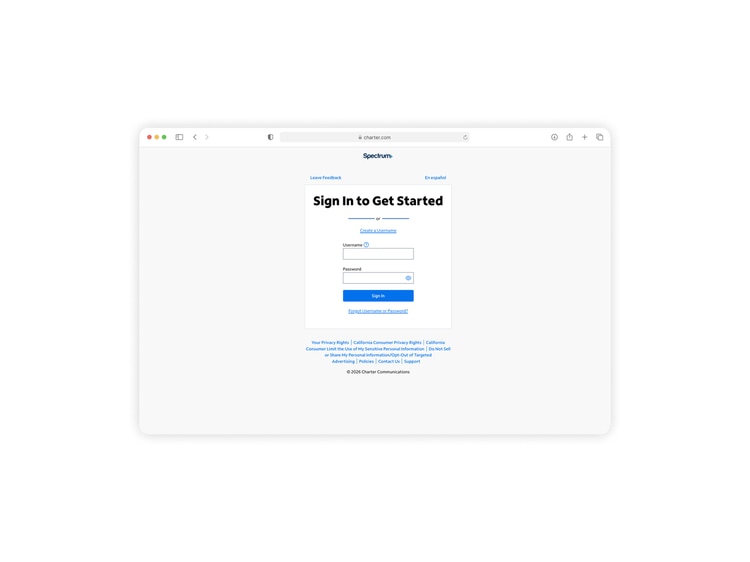
Log into your Spectrum account
Go to Spectrum.net/HBOMaxStream and log in. If you are activating on your Spectrum Internet, your device may skip this step.
STEP 2
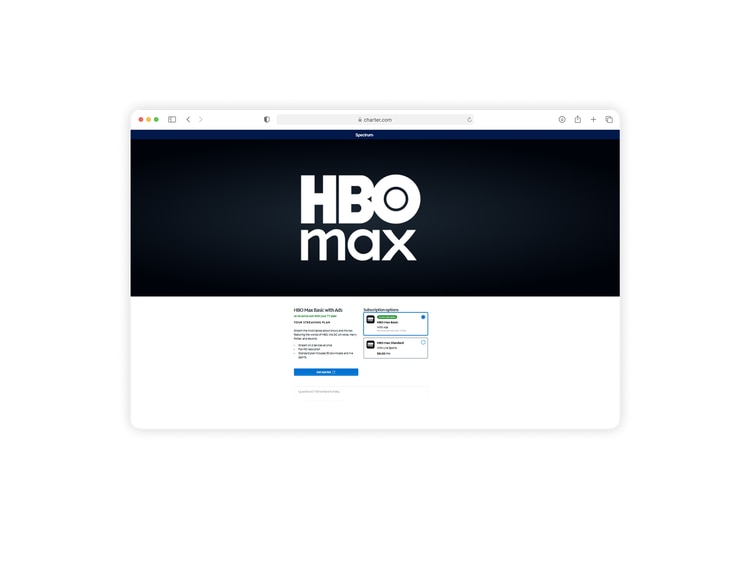
Activate HBO Max
On the next page, select the option that best fits your needs and click “Get Started.”
STEP 3
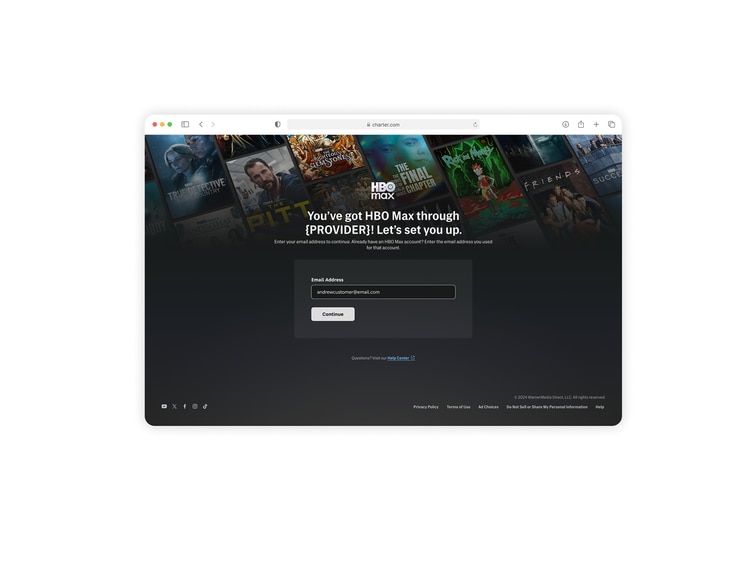
Create your HBO Max account
After tapping "Get Started,” you will be redirected to the HBO Max website. Follow the prompts to create your login and complete your account setup.
STEP 4
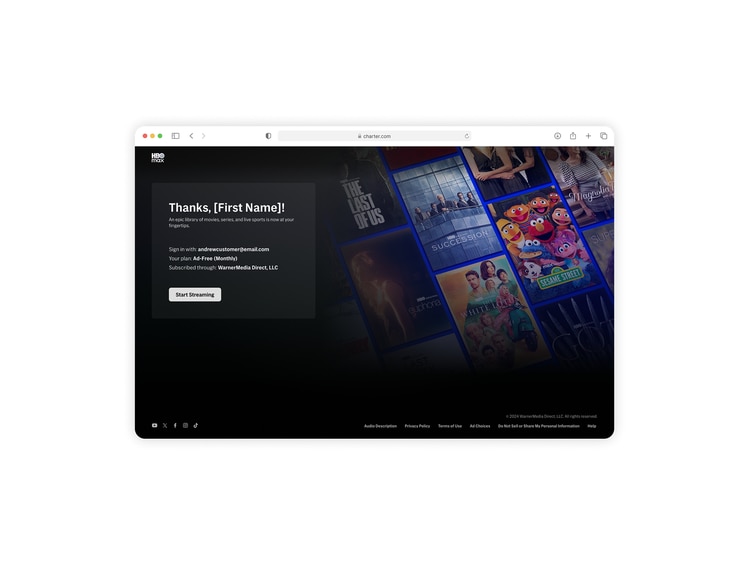
Start streaming on your devices
Once your HBO Max account is created, you're ready to “Start Streaming”. Log in on your devices to enjoy HBO Max!
Frequently asked questions
What if I need help activating my HBO Max account?
If you need help activating your HBO Max account, call us at 833-899-1660.
Does HBO Max cost extra?
One HBO Max Basic With Ads subscription is included at no extra cost with Spectrum Stream TV Signature and Stream TV Pro. HBO Max Standard, which is ad-free, is included with Stream TV VIP.
What if I already have a HBO Max account?
If you have an existing HBO Max account with another provider or through HBO directly, this subscription will not replace any existing subscriptions. Existing subscriptions must be managed separately. You must maintain eligible services to retain HBO Max.
If I already pay for HBO Max separately, can I get a refund or credit?
No. The HBO Max subscription included with your plan is separate from any existing subscriptions. Refunds or credits are not available, but you can manage or cancel your other subscriptions at any time.
Will I lose access to HBO Max if I change my Spectrum TV plan?
Yes HBO Max is included with Spectrum Stream TV Signature, Stream TV Pro and Stream TV VIP. If you switch to a different plan, access to HBO Max will end.
If a streaming app raises their price, will the cost of Spectrum TV plan go up?
Streaming services occasionally adjust their pricing, but Spectrum covers those changes for included apps - so there’s no extra cost passed on to you. That means you can enjoy your favorite entertainment in one place, without worrying about surprise increases or managing multiple subscriptions.
I have HBO as part of my Spectrum plan. Which HBO Max tier do I activate?
If your Spectrum plan includes HBO as a channel, you have access to HBO Max Standard, not HBO Max Basic With Ads. When activating, be sure to select the HBO Max Standard tier to ensure you're accessing the right plan included with your service.
Have you activated all your apps?
There are even more included apps waiting for you. Activate them all to stream your favorites at no extra cost.
Disney+, Hulu Bundle
Activate Disney+, Hulu Bundle here if you are an eligible Stream TV Signature, Stream TV Pro or Stream TV VIP customer.
ESPN Unlimited
Activate ESPN Unlimited here if you are an eligible Stream TV Signature, Stream TV Pro or Stream TV VIP customer.
Don’t have Stream TV Pro? Click here to upgrade.
Don’t have Stream TV Pro? Click here to upgrade.
Paramount+ Essential
Activate Paramount+ Essential here if you are an eligible Stream TV Signature, Stream TV Pro or Stream TV VIP customer.
Peacock Premium with Ads
Activate Peacock Premium with Ads here if you are an eligible Stream TV Signature, Stream TV Pro or Stream TV VIP customer.
AMC+
Activate AMC+ here if you are an eligible Stream TV Signature, Stream TV Pro or Stream TV VIP customer.
discovery+
Activate discovery+ here if you are an eligible Stream TV Signature, Stream TV Pro or Stream TV VIP customer.
FOX One
Activate FOX One here if you are an eligible Stream TV Signature, Stream TV Pro or Stream TV VIP customer.
ViX Premium with ads
Activate ViX Premium with ads here if you are an eligible Stream TV Signature, Stream TV Pro or Stream TV VIP customer.
Tennis Channel
Activate Tennis Channel here if you are an eligible Stream TV Signature, Stream TV Pro or Stream TV VIP customer.
Don’t have Stream TV Pro? Click here to upgrade.
Don’t have Stream TV Pro? Click here to upgrade.
DC-485,DC-543,DC-82