

by Richard Sine
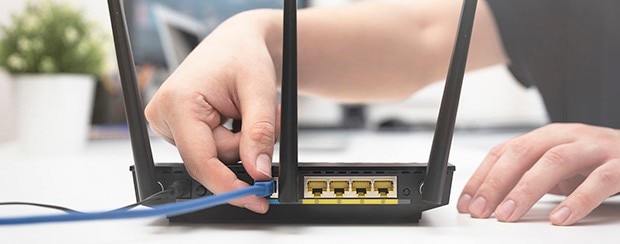
Most business owners don’t pay much attention to their business WiFi network when it’s running smoothly. Yet your WiFi — which is managed through your business router — can be an easy gateway for hackers and malicious viruses to gain access to your company’s devices and data.
Just ask Michael Harris, an IT consultant in New Orleans. One of his clients — a small business — lost access to most of its data after hackers locked down the network and demanded thousands of dollars in ransom. How did they get in? Poor WiFi security.
“People can steal passwords, access files, get credit card information and personal information because a WiFi network is insecure,” says Harris, who also teaches IT and cybersecurity at Tulane University.
Many business owners set up their WiFi network so that employees can easily share files with other devices and printers within the organization, says Devaki Parma, director of WiFi product for Charter Communications. “What this means is that a hacker can gain the same access to those files as anyone else using that WiFi,” she says.
Moreover, if just one device that joins the WiFi network is infected with malware or another harmful virus, it can infect other connected devices.
Your business WiFi router and its software are critical tools for protecting your business from intrusions and vulnerabilities that can cost you a lot of money and time to fix. So how can you make sure they’re keeping your company safe? Here are three things to look for in your business WiFi router:
Your business Internet router directs data between all the wired and wireless devices on your network. It has its own software — also called “firmware” — which should be updated as new threats emerge or bugs are discovered. Older or poorer-quality Internet routers may not offer security patches, leaving their users vulnerable when new threats emerge, Harris says.
It’s important to look for a business Internet router that comes with software that updates automatically so that new threats and risks are quickly addressed.
Spectrum Business provides Advanced WiFi for business. The service — which is provided to all Spectrum Business WiFi customers — comes with an advanced WiFi 7 router. The router includes Spectrum Security Shield, cloud-based software that updates automatically and installs any needed patches without the business needing to do anything, Parma says.
One employee or guest who visits a malicious website can unknowingly infect your business WiFi network and give hackers an opening. So, it’s important to have a router with software that can help you spot problematic devices and boot them off the network, if necessary.
Advanced WiFi’s Security Shield defends networks from online threats by automatically detecting and blocking malicious websites, phishing scams, data theft and Internet-originated attacks against devices. For example, it identifies and blocks hackers trying to access network devices and monitors smart devices for unusual activity.
“When Security Shield detects a potential threat associated with a device, the business can then decide whether to pause or remove those devices from the network,” Parma says. Network access can be easily managed through the SpectrumBusiness.net portal.
Encryption prevents the interception of information transmitted over a WiFi network. Choose a business WiFi router that enables at least WPA2 encryption, Harris advises.
Spectrum Advanced WiFi for business provides WPA3 encryption — an even-more-advanced encryption system. Moreover, it includes mandatory password-protected login and notifies the business when a new device wants to join the network.
It also allows the business to better secure its business WiFi network password by giving it out via a QR code, rather than, say, printing the actual password out on paper.
Ultimately, the goal of Advanced WiFi is to give businesses greater WiFi control and security while also being very easy to use.
“We know business owners are strapped for time, and most aren’t IT experts,” Parma says. “So we focused on giving them access to the newest advanced technology, but also making sure they don’t have to be a network specialist to get the most from it.”
Spectrum Business Internet customers can get Advanced WiFi that includes a WiFi 7 business router. To learn more, contact us at 855-299-9353.