The Benefits and Features of Spectrum Advanced WiFi
What Is Spectrum Advanced WiFi?
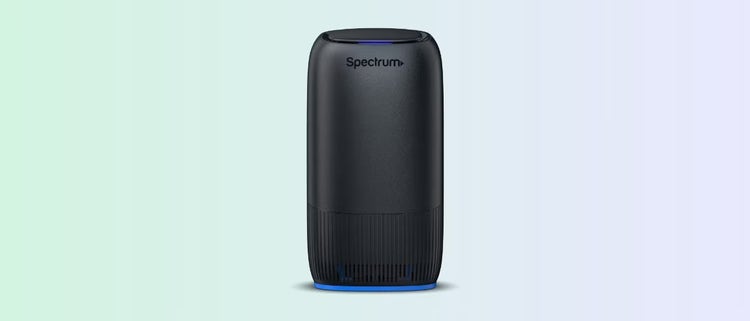
Spectrum Advanced WiFi is a whole-home WiFi service that pairs a WiFi 7-capable router with built-in security and remote network management through the My Spectrum App. It delivers a better wireless experience by taking a comprehensive approach to WiFi, combining a high-performance router, advanced security and simplified network management – all of which are constantly updated and optimized by Spectrum.
Plus, you can control your in-home WiFi network from anywhere with the My Spectrum App. Upgrade to Invincible WiFi™ for only $10 more when you have Advanced WiFi to keep your WiFi connection at its strongest even when you lose power or during service disruptions, with up to 8 hours of battery life.
What Can You Do with Spectrum Advanced WiFi?
Spectrum Advanced WiFi makes it easy to enjoy a faster, safer connection for every network-connected device and user. Here’s how:
- Breakthrough WiFi Technology – Get a stronger, faster connection with Advanced WiFi routers, available with WiFi 7 technology.
- Extra Protection with Security Shield – Protect your devices from viruses, malware and other threats.
- Improved Network Control – Use the My Spectrum App to monitor and manage your home WiFi network from anywhere.
What is WiFi 7?
WiFi 7 is the latest and fastest WiFi technology, and it’s available with Spectrum Advanced WiFi. It offers multi-gigabit speeds to support next-generation devices.
- 4.8x faster than WiFi 6 – giving you faster speeds for gaming, streaming and more
- Low-latency – reducing lag and interruptions in online activities
- Connect even more devices – with 5x the network capacity, ensuring your devices get a reliable connection
Manage Your Devices with the My Spectrum App
The My Spectrum App provides features to help you control which devices access your network. You can also view connected devices and adjust settings such as pausing Internet connectivity on specific devices. Learn more about Advanced WiFi features
Control WiFi Device and User Access
If your home’s WiFi network has multiple connected devices, you may want to prioritize certain ones. While you can’t directly allocate bandwidth (speeds for each device), the My Spectrum App lets you pause and unpause device connections manually or on a schedule. Learn more about WiFi controls.
Manage Your WiFi From Anywhere
Remotely managing your WiFi network is easy with Advanced WiFi. You can control your router away from home by downloading the My Spectrum App. Plus, you can pay your bill and manage your Spectrum account, all from your iOS or Android phone or tablet.
How to Optimize Performance with Spectrum Advanced WiFi
To maximize your Spectrum Advanced WiFi experience, follow these steps:
- Check your router’s location – Place your router in a central location, off the floor and away from large furniture and appliances. Don’t put your router in a closet or cabinet and open any doors between the router and your wireless devices.
- Minimize interference – Metal appliances, brick walls, large furniture and reflective surfaces may weaken your WiFi signal. Ensure your WiFi router is not blocked by these obstacles.
- Restart the router – Sometimes the simplest solution is exactly what’s needed. Turn off your router, unplug it and wait two minutes. Then plug it back in and turn the power on. This will clear the router’s memory and reset it.
Is Spectrum Advanced WiFi Right For You?
Spectrum Advanced WiFi is ideal for medium-to-large households with multiple devices and users. It’s a great option if you want an easy way to manage your WiFi network wherever you are. Spectrum Advanced WiFi lets you:
- Control Who’s Connected – Wherever you are, view and manage devices connected to your Spectrum WiFi network, and get alerts when new devices connect
- Manage Your Network – Easily view, update and share network information, like your network name and password
- Customize Device Controls – Group devices, assign nicknames, and parental controls like pausing WiFi access anytime or based on a schedule
Get Started with Spectrum Advanced WiFi
Spectrum Advanced WiFi offers enhanced speed, security and easier network management. Experience Invincible Internet™ with Spectrum Internet Premier and Gig plans at no extra cost.
Get More Out of Spectrum Advanced WiFi with Invincible WiFi™
Upgrade to Internet 2 Gig and get our best WiFi solution, Invincible WiFi, at no extra cost. Invincible WiFi comes with the latest WiFi 7 technology, backup 5G connectivity and a router with up to 8 hours of battery life to keep you connected during life's unexpected moments.